 DealerPulse CRM · Features
The RV dealership CRM,feature by feature.
Instant Call, AI, live activity, advertising and inventory for RV dealerships, all on one page. Jump to the part you want. Features in Pulse Pro and Pulse Max are marked.
Your new leads hear from a real salesperson in under a minute.
While your store is open, a new lead from RV Trader, your website or an ad gets a salesperson from that store on the phone with the customer, usually in under a minute. A real person who knows the unit, not a bot and not a recording.
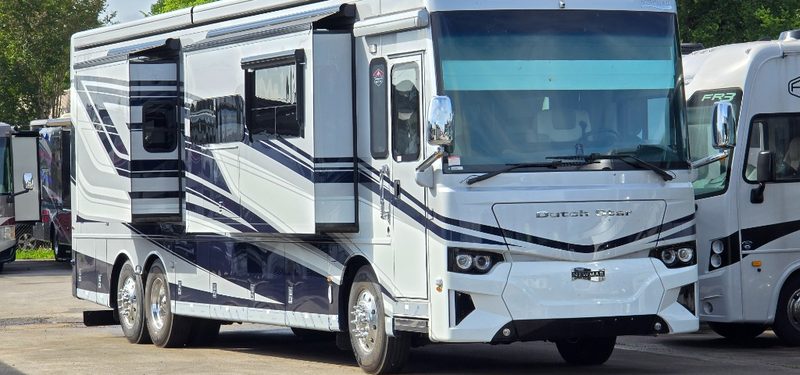 "Is the 2025 Dutch Star 3815 still available?"
Your salesperson knows who's calling.
No more unknown numbers. When a customer calls, the DealerPulse app rings on your salesperson's iPhone with the customer's name from your CRM, and the call screen shows the unit they're interested in. Your CRM and the mobile app share one customer record, so your salesperson picks up ready to talk about that exact coach.
- The customer's name from your CRM, right on the iPhone call screen
- The unit they're interested in, on the call screen
- One customer record across the desktop CRM and the mobile app
Managers see it happen.
Every Instant Call shows on your Overview as it happens, under “On the phone now”, with an Instant call chip. Open the live transcript, and get an alert when a salesperson takes a lead.
- Open the live transcript while the call is on
- An alert when a lead is taken, and one when nobody takes the call, so the lead still gets assigned
- Response time per salesperson and per store, split into business hours and after hours
After hours, DealerPulse answers.
Instant Call doesn't run while your store is closed, but the customer still gets a reply right away by text or email. It answers the customer and says when your team will reach out. When the store opens, the salesperson picks the customer up. After-hours replies are part of DealerPulse CRM.
- A reply right away, by text or email
- Answers the customer and says when your team will reach out
- Included in DealerPulse CRM
- The salesperson picks the customer up when the store opens
AI that listens, remembers and follows up.
The AI in DealerPulse CRM does the typing and the remembering. It writes up every call and turns "I'll call you Friday" into a follow-up on Friday. With AI Call Assist, part of Pulse Max, it fills in a phone-up while your salesperson is still on the call. Your salespeople stay in charge.
AI Dormant Follow-Up Assist, the Pulse Max feature that follows up with quiet customers, is covered below.Never lose a phone-up again.
A busy salesperson takes a phone-up, helps the customer, and never types them in. With AI Call Assist, part of Pulse Max, a card appears on the call and fills itself in while they talk: name, phone, city, the unit they want, their trade, and a live summary. When the call ends, or any time before, one click creates the customer.
- The card goes to the salesperson the AI heard answer in the greeting
- If the caller found you through your website, the card shows what they looked at there
- Type in any field and it's yours; the AI won't overwrite it
- One click on Create customer puts the phone-up in the CRM
An inventory assistant on every call.
Customers describe what they want in their own words. AI Inventory Assist, coming to Pulse Max, picks that up on the call, searches your inventory, and puts the matching units on the salesperson's screen while the customer is still talking. No more "let me check and call you back."
- "A motorhome between $90,000 and $110,000 with a rear bath" becomes a search, and the matching units show up
- Asked about a unit that just sold? It finds the same floorplan you still have in stock
- Matches come from the units you have right now, with stock #, price and store
- Your salesperson does the talking; the assistant does the looking

Know what was said without replaying the call.
Every recorded call gets an AI summary on the customer's history, marked connected or voicemail. At the top of the customer page, another summary says where the deal stands and what to do next. And while a call is live, a manager can read the transcript as it happens.
See every live call on Live activity- A summary on every recorded call, marked connected or voicemail
- A summary at the top of the customer page: where the deal stands and what to do next
- A live transcript managers can read during a call
Books the appointment. Keeps the promise.
A customer texts "Saturday at 10 works." A salesperson says "I'll call you Friday with the numbers." In a busy store both get lost. The AI catches them as they're said, in a text or on a call.
Suggestions wait on your Home screen.
When a customer agrees a time, the suggestion shows up with what they said. Confirm it with one tap, or dismiss it if they didn't actually set a time.
Writes with your salespeople.
The AI sits right in the text composer. A salesperson can have it draft a message, clean one up, rewrite it their way, make it sound like them, or cut it down. The salesperson reads it and presses Send.
Let AI follow up with quiet customers. Add AI Dormant Follow-Up Assist.
AI Dormant Follow-Up Assist takes over follow-up for customers who have gone quiet, so your salespeople can spend their time on the customers who are actively engaged. It only follows up once the salesperson or a manager says yes, and the moment the customer replies, the conversation goes back to the salesperson.
- Real price drops. It mentions a real price drop on a unit the customer looked at.
- Never pitches a unit on Hold. If asked, it says the unit is temporarily off the market and gets a person to follow up.
- Hands back on reply. The moment the customer replies, the conversation goes back to the salesperson.
The AI helps. Your salespeople decide.
Five plain rules for how the AI behaves in your store.
What RV dealers ask about the AI.
Which package has AI Dormant Follow-Up Assist?
Pulse Max. AI Dormant Follow-Up Assist and AI Call Assist come with Pulse Max. After-hours replies, call summaries, the AI summary on the customer page, suggested appointments, promise reminders and the writing help in the composer come with every package. Compare all three on the Pricing page.
Does the AI text customers on its own?
It depends which AI. The AI built into DealerPulse CRM works for your salespeople: it writes up calls, suggests appointments and sets reminders, and the writing help drafts a text for the salesperson to read and send. After hours, DealerPulse CRM replies to a customer who writes in, telling them the store is closed and when your team will reach out. AI Dormant Follow-Up Assist, part of Pulse Max, writes to customers who have gone quiet: it first asks the salesperson, and nothing is sent until they say yes. Everything any AI writes shows on the customer's history.
Where does it get unit details?
From your live inventory. When a customer asks AI Dormant Follow-Up Assist, part of Pulse Max, about a unit, it answers from the units you have right now, and it can mention a real price drop on a unit the customer looked at. It never pitches a unit on Hold: if a customer asks, it says the unit is temporarily off the market and gets a person to follow up.
Can a salesperson turn it off for one customer?
Yes. When AI Dormant Follow-Up Assist (part of Pulse Max) offers to take over a quiet customer, the salesperson chooses Okay, go ahead or No, I'll handle it. Nothing is sent until they say yes, so No, I'll handle it keeps that customer with the salesperson. Pending offers wait in a list on the salesperson's Home screen, so nobody has to answer on the spot.
See every call and every showroom visit as it happens.
The manager Overview shows every call on the phones and every customer at a desk, across all your stores, while it is happening. Read the live transcript, and see which unit each customer is looking at. With AI Call Assist, part of Pulse Max, managers can also listen in silently.
For dealer principals and sales managersKnow who is at a desk, and what they're looking at.
Every customer at a salesperson's desk shows up on the Overview: which salesperson has them, at which store, and for how long. Open a visit to see the rest before you walk over.
- The unit they're on: year, make and model, stock number, price and status, such as sale pending.
- The trade-in, the deal stage and the lead source.
- Latest notes, including printed forms like Quote & Trade and Buyer's Order.
- Profile and End are one click away.
See what slipped before the customer does.
Unclaimed leads and follow-ups that slipped are flagged for a manager before the customer notices. When a salesperson is away, the Covered list shows the teammate covering their customers with Sales Assist.
- Each row names the customer, the lead source, the unit and how long it has waited.
- Unclaimed leads stand out, so a manager can hand them to someone.
- Sam Rivers is out, and the Covered list shows that Priya Nair is covering their customers.
Every customer waiting on a reply, oldest first.
Texts, emails and voicemails that are still waiting on your team, in one inbox across all stores and salespeople. Beside each one you see the salesperson's status, so you can step in before the customer notices.
- Calls & voicemails, texts and emails in one place. Reply right from the inbox, or Call back on a voicemail.
- Oldest first, across every store and every salesperson.
- The salesperson's status sits beside the customer: Day off, On the floor, or what time they logged in.
- When a teammate is covering, the inbox shows who.
Your reps see their own day, not the whole store.
A salesperson's Home is their own workboard. Salespeople see their own customers. Managers see every store.
- My workboard: Need reply, New leads, Hot leads and Follow-ups.
- Who is in the showroom, and suggested appointments.
- The phone app's badge counts what is waiting on that salesperson personally.
Always know what's happening with your new leads.
DealerPulse keeps managers connected to the sales floor, so every new lead is accounted for. You get an alert when a lead is taken on an Instant Call, when a lead still needs a salesperson, and when a lead didn't make it into the system.
- Taken: see which salesperson took which customer via Instant Call.
- Needs assigning: sent after the Instant Call attempt ends, not before.
- Didn't make it in: sent immediately, at any hour.
Questions RV sales managers ask about live activity.
Can salespeople see each other's customers?
No. Salespeople see their own customers. Managers see every store.
Does it work across all my stores?
Yes. The Overview shows calls and showroom visits across every store, with store filter chips to narrow it to one. The manager inbox covers every store.
What happens when a salesperson is on vacation?
A teammate covers their customers with Sales Assist, and the Covered list on the Overview shows who is covering whom.
See which ads actually sell units.
When a customer clicked your ads, their lead and their sale are credited to the first paid ad they clicked in the six months before, whether they filled out a form, called, or walked in. Follow each campaign from click to quote, deposit and delivery, and see what every click, lead and sale costs.
- Walk-ins and phone-ups credited to the ad, not just web forms
- Google, Microsoft and other paid ads side by side
- GA4 and Google Ads integration built in
- Spend and cost per sale for admins and super users only
Credit goes to the ad that earned it.
One rule for leads and sales: each one is credited to the first paid ad the customer clicked in the 6 months before it.
First paid click in 6 months
A lead or sale goes to the first paid ad the customer clicked in the 6 months before it. Google Ads, Microsoft Ads and other paid ads sit side by side in one report.
Walk-ins and phone-ups count
Web forms (e-leads), phone calls, walk-ins and others are all counted. A customer who clicked an ad and later walked in is credited to that ad.
Returning customers included
A returning customer is credited the same way as a new one. A sale is counted when it sells.
Organic never steals credit
A customer can come back through an organic visit later. That visit never takes the credit away from the paid ad that came first.
Every campaign, channel and unit in one tab.
The Advertising tab puts each ad next to what it produced: leads, quotes, deposits and delivered units. Pick the view you need.
- OverviewWhat you spent, what it produced, and what needs attention.
- CampaignsEvery campaign's spend, clicks, leads, quotes and deposits.
- ChannelsResults by ad network and by lead source.
- GeographyA buyer map of where your buyers come from.
- Inventory & brandsWhich brands and unit types bring quality leads.
- UnitsEvery unit that got a lead or sold, by campaign and channel.
Tell Google which ads really sell units.
Google sees the click, not the deal at your desk. For customers DealerPulse can match to a visit to your website, DealerPulse sends the key events from your CRM to your GA4 property within minutes, and they flow on to Google Ads, so your campaigns can bid for buyers instead of clicks.
Google Ads integration
Spend, clicks and impressions for every Google Ads campaign come into DealerPulse through your GA4 property, once it is linked to Google Ads. Campaign IDs become readable campaign names. No link yet? An admin can type each campaign's monthly spend instead.
See what a TV spot did for your website.
Upload the TV station's post log, the list of when each spot aired. DealerPulse shows the website visits in the minutes after each spot, spot by spot.
- Upload the post log: when each spot aired
- See website visits in the minutes after each spot
- Every run is kept, so you can go back to an earlier one
Know which units your website visitors want.
DealerPulse lines up your website views with your units and your leads. See which units draw a crowd, which ones turn views into leads, and which ones get plenty of views and no leads. Price impact shows the views a unit got before and after a price change.
Questions about advertising your RVs.
Do we need GA4?
Not to see which ads sell units. The ad report works from what DealerPulse itself records, so it doesn't depend on GA4. Spend comes in one of two ways. Link your GA4 property to Google Ads and spend, clicks and impressions for every Google Ads campaign come in on their own, with campaign IDs turned into readable names. Or an admin types in each campaign's monthly spend.
How is a walk-in credited to an ad?
The same way as a web form or a phone call: to the first paid ad click in the 6 months before the lead. The report counts walk-ins in their own column, and under Deposits and Delivered it shows how many came from walk-ins. Lead source works on the same idea: the lead that opened the deal decides how the customer came in, so someone who sent an e-lead and later walked in stays an e-lead.
Can my salespeople see what we spend?
No. Spend and cost figures are for admins and super users only. A salesperson sees which ad brought in each of their own customers, and the date it was clicked.
Does it work with Microsoft Ads?
Yes. Microsoft Ads, Google Ads and other paid ads sit side by side in the same report, and each lead and sale is credited to the first paid click in the 6 months before it.
Find the unit before you walk the customer out.
With DealerPulse Lot Logistics, part of Pulse Pro, your team scans units as they move. Every unit shows on a live map of your lot, on real aerial imagery, with the row it's in, when it was last scanned, and who scanned it.
- Every unit on a live map of your lot
- Last scan: when, in which row, and by whom
- Your salesperson finds the unit before walking the customer out
Nobody promises a coach that's spoken for.
A unit's status comes from your website inventory feed, and it shows everywhere the unit appears: on the lot map, in inventory lists, on a customer's Units of interest.
Everything about a unit, and everyone who wants it.
Open any unit to see its price history, its walkaround video and the customers interested in it, all on one page. With Lot Logistics, part of Pulse Pro, it also shows where the unit is parked.
Tell your salespeople who to call next.
DealerPulse watches your customers and your inventory together. When a unit someone wanted changes, the salesperson whose customer it is hears about it: a price drop, a Sale Pending, a unit back on the lot or back from Hold, an on-order unit that arrived, or a match for what a customer is looking for.
- Each alert goes to the salesperson whose customer is interested in the unit
- A price drop also adds a note to the customer's history, and can add a follow-up task to reach out
- A customer watching a walkaround video shows up while they watch
Film the real coach. Know when they press play.
Film a walkaround of the actual unit and file it under its stock #. Send it to a customer, and they get a personal page with your video on it. When they press play, their salesperson gets an alert.
- 1Attach itIn the text or email composer, choose Attach video. Pick one of the customer's units, or search by stock #.
- 2They watch itThe customer opens a personal page with the video on it.
- 3You hear about itTheir salesperson gets an alert, and the view is logged on the customer's history.
Anyone on the team can upload one video per unit, and a new upload replaces it. Videos are kept until the unit sells, plus 30 days. They work for Sale Pending units, not for Hold or sold units.
Save what they want. Get told when it arrives.
Some customers don't want one exact unit. They want a Class A diesel under 40 ft with a bunk or sofa bed. Save that on their profile under Looking for, and DealerPulse keeps a live count of the units in stock that match.
- A live count of matching units in stock
- When a match arrives, the customer's salesperson gets an alert
Synced from your website's inventory feed.
Units, prices, photos and status sync from your website's inventory feed. Every price change is recorded, and with AI Dormant Follow-Up Assist (Pulse Max) a quiet customer can hear about a real price drop on a unit they looked at.
Reports show your most-viewed units, your units needing attention, and the impact of a price change.
RV inventory, answered.
Where does our inventory come from?
From your website's inventory feed. Units, prices, photos and status sync into DealerPulse CRM, and status shows everywhere a unit appears: On the lot, Sale Pending or Hold.
What does Hold do?
Hold means a unit is temporarily not for sale. It comes off customer-facing lists, your salespeople see a Hold badge, and AI Dormant Follow-Up Assist, part of Pulse Max, never pitches it. When the unit comes back, the salespeople with interested customers get an alert.
Who can upload walkaround videos?
Anyone on your team. Each unit holds one video, filed under its stock #, and a new upload replaces it. The video is kept until the unit sells, plus 30 days.
Do salespeople see other salespeople's interested customers?
No. A salesperson sees their own customers on a unit's Interested customers list. Managers see everyone, and the count always matches the list.